Meter Pairing
To receive data from the second-generation (2G) electronic meter, RE-PLUG must be paired with the meter of its electricity supply, identified by the POD code. Pairing enables Chain 2 communication between the meter and the device and is activated by the electricity distribution system operator.
How It Works
The pairing request is submitted to the distribution system operator by Renua, as the operator managing the device, based on the data and consent provided by the customer.
The customer only needs to fill in the form in the e-snapp App: all operations with the distribution system operator are handled by Renua.
Pairing is available for supplies served by the following distribution system operators:
- e-distribuzione
- Areti
- Unareti
What You Need
- RE-PLUG configured and connected to the Wi-Fi network: see Commissioning.
- POD code of the supply: the code that uniquely identifies the withdrawal point, shown on the electricity bill in the section dedicated to supply details. It consists of IT + 3 digits + E + 8 characters (14 characters, 15 if there is a final character), for example
IT001E12345678. - Tax code (codice fiscale) of the supply holder (16 characters) or, for companies, the VAT number (11 digits).
The data must be those of the holder of the electricity supply contract associated with the POD. If a bill has already been uploaded for the location, the App pre-fills the POD and tax code with the contract data.
Procedure
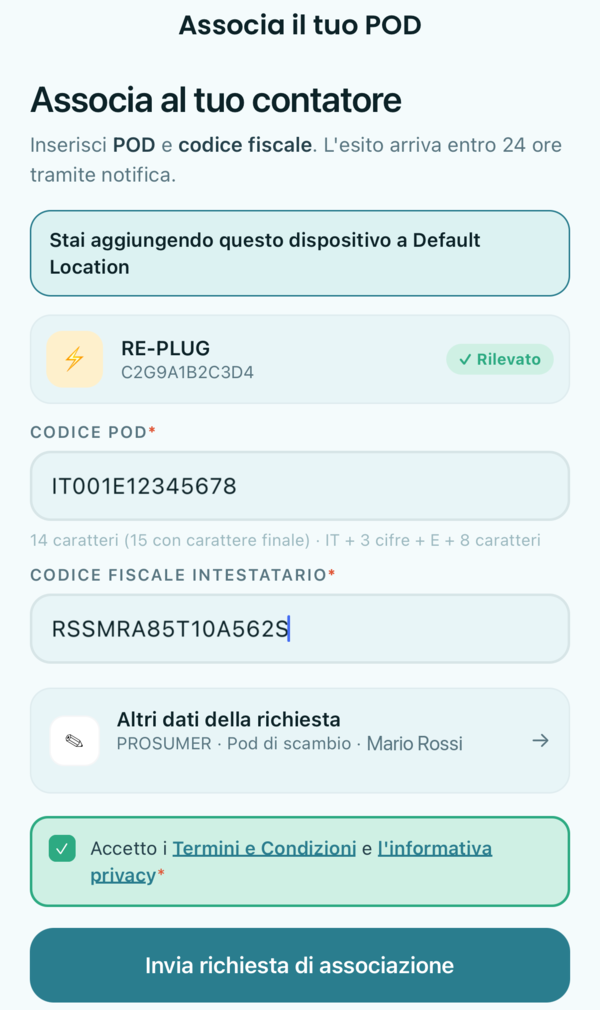
At the end of commissioning, the App automatically opens the "Associate your POD" form. Until the request is sent, the App shows the form again at every start.
The screenshots in this manual show the App in Italian; the steps are the same in every language.
- Check that the device shown is the RE-PLUG you have just configured (status "Detected").
- Enter the POD code and the Account holder's tax code. The App checks the data format as you type.
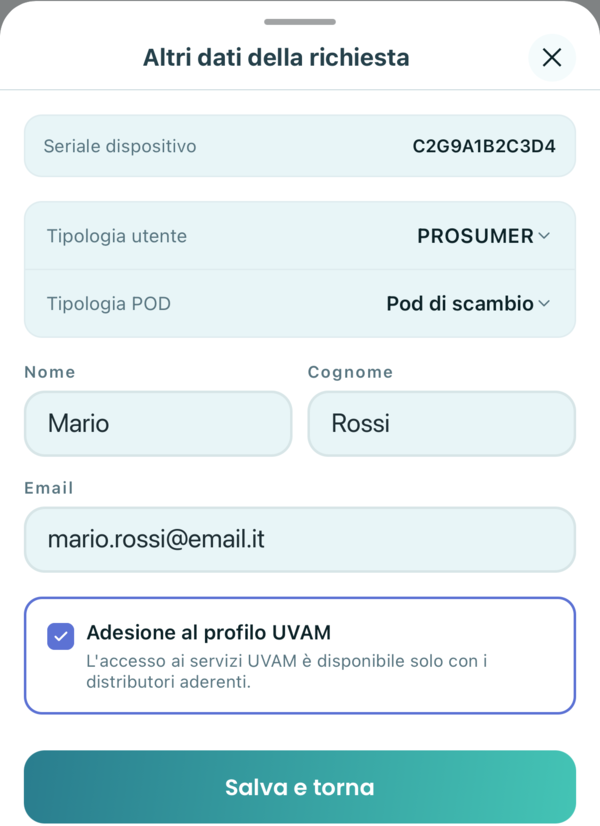
- If needed, open "Other request details" to check or change:
- User type: PROSUMER (default) or CONSUMER;
- POD type: exchange POD (default), first, second or third production POD;
- First name, Last name and Email, pre-filled with the account data.
- Accept the Terms and Conditions and the privacy notice.
- Tap "Send association request".
After submission, Renua checks the eligibility of the POD for the Chain 2 service and forwards the request to the distribution system operator. The App shows the progress of the request and sends a notification when the outcome is available. Once pairing is complete, RE-PLUG starts receiving data from the meter and consumption can be viewed in the App.
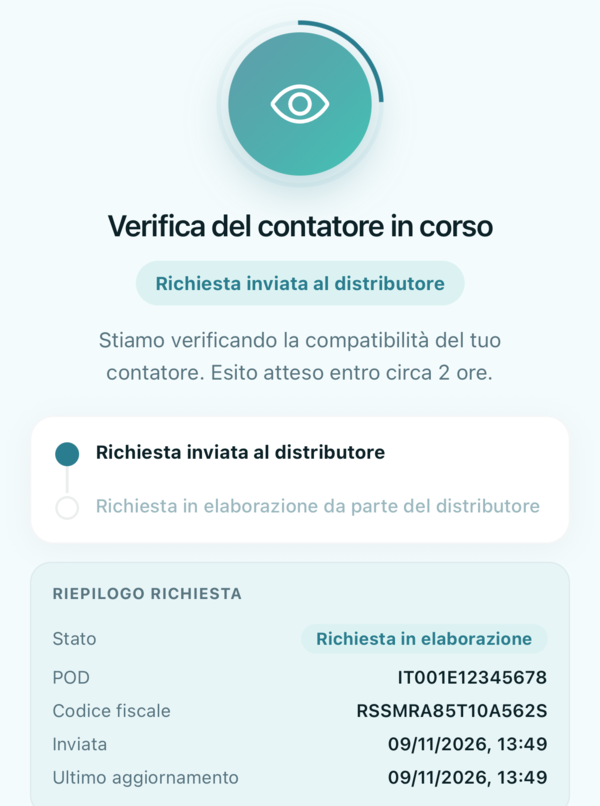
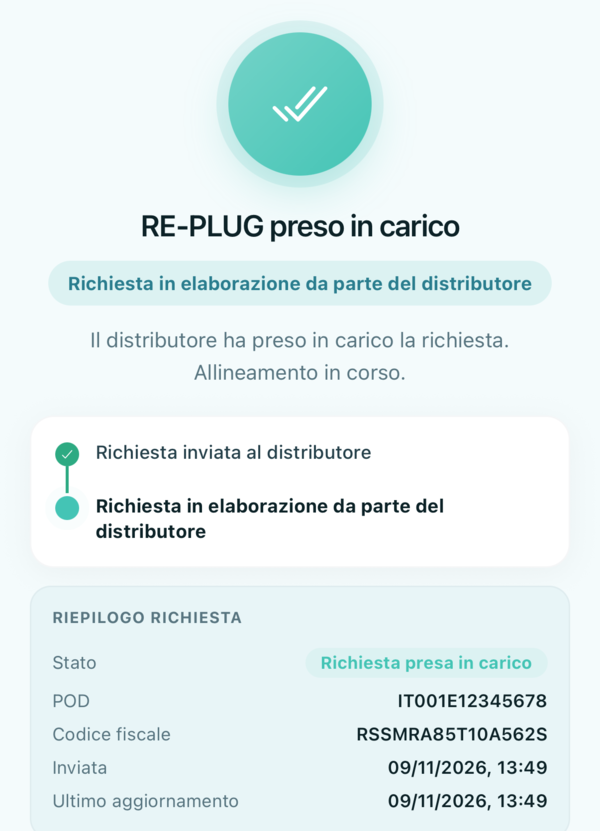
The outcome of the request normally arrives within 24 hours, via a notification in the App. Until pairing is completed, the device does not receive measurement data from the meter.
Request Status
The pairing status can be checked at any time from Menu → Manage devices by selecting RE-PLUG: the "Meter association" section shows the status, the POD and the list of requests sent.
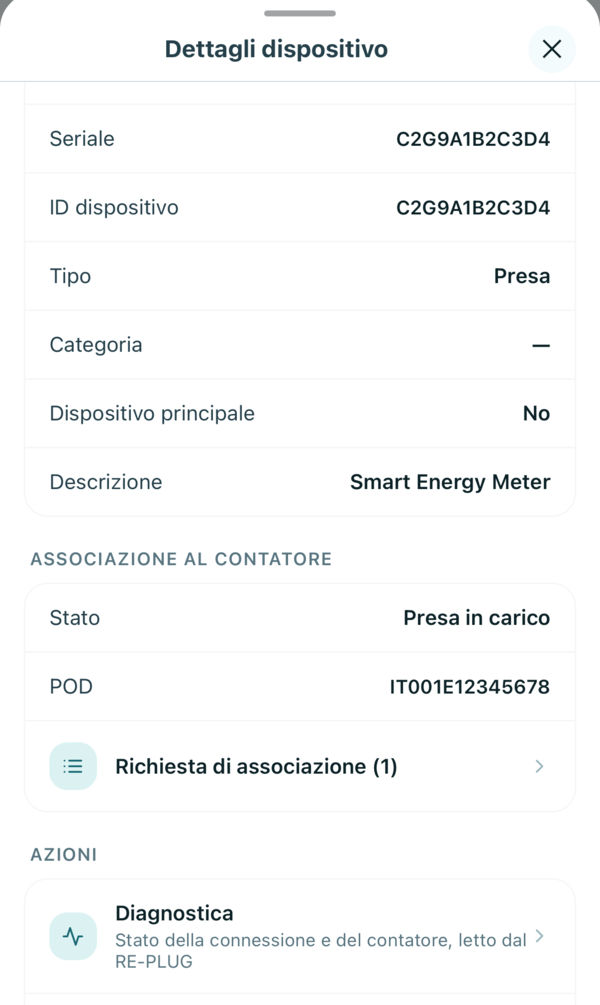
| Status | Meaning |
|---|---|
| Pending | Request sent, awaiting verification |
| In progress | The distribution system operator has taken charge of the request |
| Distributor action | The request is waiting for an action by the distribution system operator |
| Associated | Pairing completed: RE-PLUG receives data from the meter |
| Refused | The request was not accepted; the reason is shown in the request |
| Disassociated | The pairing has been removed |
Refused Request
If the request is refused, the App shows the reason and lets you correct the data and send a new request ("Retry" button, or "Submit new request" in the device details). A refusal may be due, for example, to incorrect data, a POD already paired with another device, or a meter not yet enabled for the Chain 2 service.
If the problem persists, contact technical support from the App ("Contact support") or by writing to support@renua.it.
Removing the Device and Revoking Consent
- When RE-PLUG is deleted from the App (Manage devices), disassociation from the POD is also requested; this usually takes 1 to 3 days.
- While a pairing request is being verified, the device cannot be deleted.
- The supply holder may revoke the consent given at any time: in this case, Renua deletes the pairing with the distribution system operator and the device stops receiving data from the meter.
In case of relocation, change of supply, or device replacement, contact technical support to update the pairing.